Official App

Download the 7gmaes App — Slots, Betting and Live Casino on Your Phone, Anywhere

The 7gmaes app puts the entire platform in your pocket. Available for Android and iOS, with a mobile-optimized interface, integrated Pix, and full access to all games without needing to open a browser.

Android iOS Pix in the app Push notifications Synced account Reduced data usage

Download the 7gmaes app now

Available for Android and iPhone. Installation is straightforward and takes less than two minutes.

Android

Direct APK — no app store needed

Download the 7gmaes APK file directly on your Android phone. Installation is done outside the Play Store, which means you need to enable the unknown sources option in your device settings before installing. The process is quick and clearly explained in the step-by-step guide below.

  • Android 7.0 or higher
  • Approximately 45 MB
  • Entry-level phone support
  • Automatic updates through the app
Download for Android

IPhone (iOS)

Available for iOS 13 or higher

On iPhone, the 7gmaes app can be installed as a Progressive Web App (PWA) directly through Safari, or via an installation link compatible with Apple devices. The experience is virtually identical to the Android version, with the same features and the same performance.

  • iOS 13.0 or higher
  • Compatible with iPhone 8 and later
  • Installation via Safari (PWA)
  • Icon on the iPhone home screen
Download for iOS

Can't find the 7gmaes app in app stores? That's normal. As an entertainment platform with betting, the app is distributed directly through the website. On Android, the download is done via APK. On iPhone, installing it as a PWA through Safari delivers the same experience with an icon on your home screen.

The 7gmaes app was made for everyday use in Brazil

Most Brazilians access the internet from their phones — and that's exactly what 7gmaes developed an app that runs smoothly even on mid-range devices, on 4G connections or moderate-speed home Wi-Fi. No unnecessary freezes or heavy interfaces that overheat your phone.

With the app installed, you no longer need to type the address in your browser every time you want to play. Access is direct through the icon on your home screen, and your session can be resumed right where you left off — whether in a slot game, a live sports bet, or a casino table. Everything is synced with the same account you use on the web version.

One of the most convenient features is being able to make deposits and withdrawals via Pix without leaving the app. You generate the key, copy the code, or scan the QR Code directly through your bank app already on your phone, and the balance lands in your 7gmaes account instantly. For withdrawals, the process is just as simple: enter your Pix key and confirm.

The 7g maes app is designed to use less mobile data than the web version, without sacrificing image quality in live streams.


7gmaes
7gmaes

How to install the 7gmaes app on Android

Installing on Android is straightforward. Follow the step-by-step guide below and in less than two minutes the app will be on your home screen, ready to use.

1
Access security settings

On your Android, go to Settings › Security (or Privacy, depending on your device) and enable the "Install unknown apps" option for your browser or file manager. This allows you to install APKs outside the Play Store.

2
Download the APK file

Tap the "Download for Android" button on this page. The 7gmaes APK file download will start automatically. Wait for it to finish — the file is around 45 MB and usually downloads in under a minute on 4G networks.

3
Open the downloaded file

When the download is complete, a notification will appear in the Android status bar. Tap it or go to your downloads folder and tap the 7gmaes APK file to start the installation.

4
Confirm the installation

Android will show a confirmation screen with the requested permissions. Tap "Install" and wait. The process takes just a few seconds.

5
Log in and play

After installation, the 7gmaes icon will appear on your home screen. Open the app and sign in with your email and password, or create a new account directly through the app.

Remember to download the APK only from the official 7gmaes website. Files obtained from unknown sources may pose security risks to your device.

How to install the 7gmaes app on iPhone

On iPhone, the installation process is even simpler. 7gmaes offers a Progressive Web App (PWA) experience through Safari, which means you add the app to your home screen without needing any installation file. From there, it works like any other app.

1
Open Safari on your iPhone

The 7gmaes PWA works exclusively through Safari on iOS. Make sure you are using Safari — other browsers such as Chrome or Firefox on iPhone do not support installing PWAs to the home screen.

2
Go to the 7gmaes website via Safari

Type the website address in Safari and wait for it to fully load. The site will automatically detect that you are on an iPhone and display an installation prompt.

3
Tap the share icon

In Safari, tap the share icon (the square with an upward arrow, in the bottom bar of the browser). Scroll through the menu that appears and select "Add to Home Screen".

4
Confirm the name and add

IOS will automatically suggest the name "7gmaes". Confirm by tapping "Add" in the top right corner. The app icon will appear on your home screen.

5
Tap the icon and log in

Tap the 7gmaes icon on your home screen. The app will open full screen, without Safari's address bar. Log in to your account or register as usual.

The PWA on iPhone works offline for some features and receives automatic updates whenever you open the app with an internet connection available. No manual reinstallation needed.

7gmaes

What you'll find in the 7gmaes app

All platform features in the palm of your hand, optimized for your phone screen.

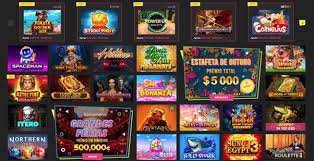
Full Slot Games

Access the full library of Slot Games on mobile. Fast loading and smooth gameplay even on 4G connections.

HD Live Casino

High-quality streaming with real dealers. The app automatically adjusts video quality to match your connection speed.

Live Betting

Follow matches and place bets in real time through the app. Live-updated odds with a touch-optimized interface.

Pix in the app

Deposit and withdraw in BRL via Pix without leaving the app. Direct integration with your bank app for code copying or QR Code scanning.

Push notifications

Receive alerts about promotions, available bonuses, and your betting results directly on your phone screen, without needing to open the app.

100% synced account

Balance, history, bonuses, and preferences stay synced between the app and the web version. Switch devices without losing anything.

System requirements:

Android 7.0+ iOS 13.0+ ~45 MB (Android) 3G / 4G / Wi-Fi Mid-range phones English (BR)
7gmaes

Why playing through the app makes a difference in daily life

Who uses the 7gmaes on mobile knows that the mobile experience has some practical advantages that make a real difference day to day. The first is convenience: you're on public transit, waiting somewhere, or simply relaxing on the couch — and in two taps you're inside the platform, no browser to open, no address to type, no need to log in every time.

Another point worth highlighting is performance. The 7gmaes app was developed to run well on entry-level and mid-range phones, which are the most common in Brazil. This means fewer freezes, faster loading between sections, and a smoother gaming experience — especially in slots, which rely on fluid animations to be enjoyed properly.

Push notifications are a real advantage. In the app, you can set up alerts for new available bonuses, seasonal promotions, and results of sports bets you followed. That way, you stay up to date with everything happening on the platform without having to open it every day to check.

For those who enjoy sports betting, playing through the app during live matches is especially convenient. The 7gmaes live betting interface was designed to work well on smaller screens, with the main markets highlighted and real-time odds updates. You can follow the game on TV and bet on your phone without any hassle.

The app uses the same TLS/SSL encryption as the web version. Your login information, financial data, and Pix transactions are protected with the same level of security on any device.

Want to explore all the platform's features before downloading the app? Visit the Platform for a complete overview of everything 7gmaes offers.

Questions about the 7gmaes app download

The most common questions from users installing the app for the first time.

Entertainment platforms with betting often distribute their apps outside official stores due to those platforms' policy guidelines. This does not affect the app's security — the 7gmaes APK file is distributed directly through the official website, ensuring you are downloading the correct and up-to-date version. Installing via APK is widely used in Brazil and other countries for this type of application.

Yes, as long as the file is downloaded directly from the official 7gmaes website. Never download the APK from third-party sites, forums, or links sent via messages. The file available on this page is the original, verified, and safe version. Android itself performs a security check during the installation of any APK.

Yes. On iPhone, 7gmaes uses PWA (Progressive Web App) technology, which allows you to install the app directly through Safari without going through the App Store. Simply open the site in Safari, tap the share icon, and select "Add to Home Screen". The app will appear on your home screen and run full screen like any other installed application.

No. If you already have a 7gmaes account through the web version, just log in to the app with the same email and password. Balance, betting history, account details, and payment methods are synced automatically. If you don't have an account yet, you can create one directly in the app — the registration process registration is the same.

On Android, the app automatically checks for available updates every time you open it with an internet connection. When a new version is available, you will receive an in-app notification to download and install the update. On iOS via PWA, updates are applied automatically every time you open the app while connected to the internet — no action required on your part.

Yes. The 7gmaes app was developed with the Brazilian market in mind, where a large share of users rely on mid-range or entry-level phones. The minimum requirement for Android is version 7.0, and the app is optimized to use less RAM and mobile data than the web version. For iOS, any iPhone running iOS 13 or later works without issues.

Take 7gmaes in your pocket and play whenever you want

Install the app, log in with your account and get immediate access to all games, betting and platform features — directly from your phone.

Português (Brasil)